Latest: Add Latest Article Here | Recommended: Add Recommended Article Here
Subscribe For Free Latest Updates!

We'll not spam mate! We promise.

Thursday, October 22, 2015


5 Best Browsers To Browse Safely And Securely On Your iPhone (SupremeWap.Com)

Recently we talked on how to browse safely, securely and anonymously on Android devices
In this cyber world security is always the first priority in any region. Similarly secure browsing is a way to browse safely or say anonymously over the internet. Mostly user thinks that they are safe over the internet for browsing lots of sites with their device. 
But that's a misunderstanding as today there are lots of spy agencies that keeps track on users, so its become necessary to ensure your privacy by securely browsing over the web. And in this article we are going to discuss how to browse safely, securely and anonymously on the internet for iPhone users.

Read also - 5 Best Browsers To Browse Safely And Securely On Your Android

How To Browse Safely, Securely And Anonymously On iPhone

Here we are going to tell you some of the best secure browser for iOS devices that are always in incognito mode and always keeps your data clear whenever you close it. And these will provide you the secure browsing experience in your iPhone. So have a look on these browsers.

5 Best Secure Browse For Your Android To Browse Securely


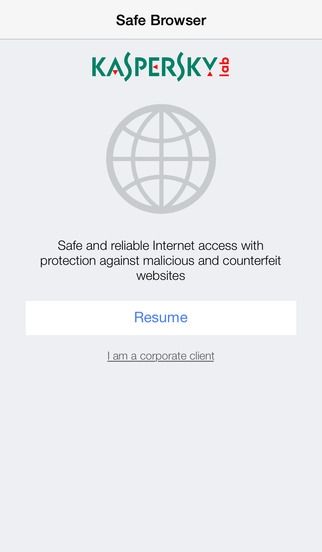
#1 Kaspersky Safe Browser: Fast & Free

This is one of the best browser that will allow you to browse securely with its high privacy browsing feature.Stay safe from malicious links, suspicious content or identity theft with Kaspersky Safe Browser for FREE. It detects & blocks phishing sites, spammy links & unwanted content.kaspersky safe browser fast & free (SupremeWap.Com)
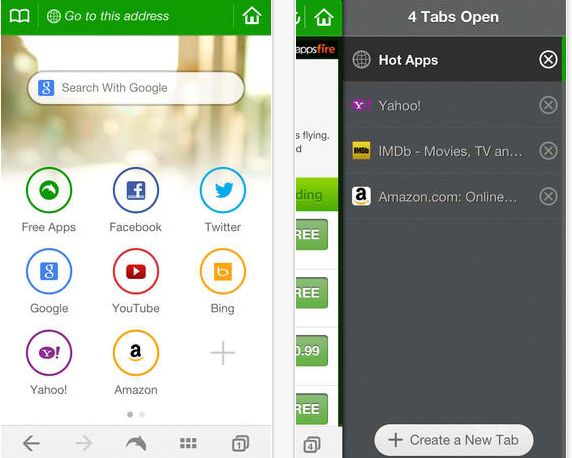
#2 Dolphin Web Browser

The another good browser that you will love to have in your iPhone. Dolphin is a free, fast, smart and personal web browser for iPhone and iPad. The exclusive features include one-tap share, tabbed browsing, cloud sync, gesture browsing, sonar search, speed dial, sidebar and a lot more to be discovered.dolphin web browser
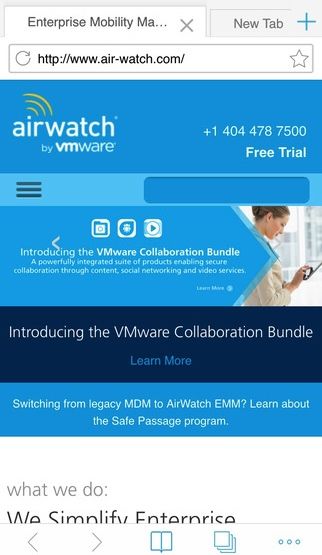
#3 AirWatch Browser

AirWatch Browser provides a secure alternative to Safari Internet browsing for iOS devices. Your corporate IT administrator can customize and configure AirWatch Browser to meet your unique end-user needs. By allowing administrators to secure all Internet browsing and limit browsing to certain websites, AirWatch Browser gives you the benefits of mobile technology with fewer risks.airwatch browser (SupremeWap.Com)
#4 Webroot SecureWeb Browser

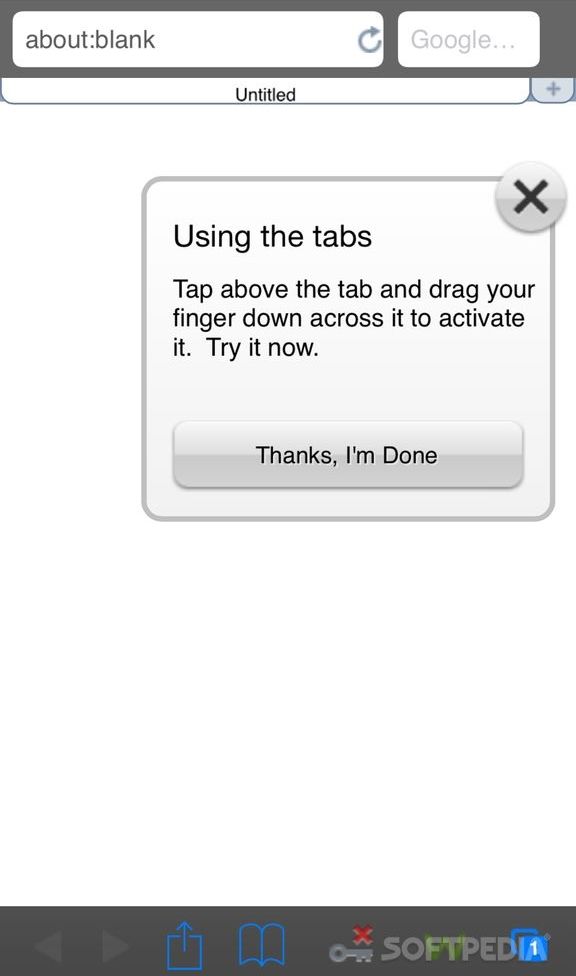
Webroot SecureWeb is the most advanced web browser for your iPhone, iPad, and iPod Touch. Shop and bank securely, block malicious sites, use tabs for faster browsing, and see which search results from Google, Yahoo!, Bing, and Ask are the safest to explore.webroot secureweb browser (SupremeWap.Com)
#5 Symantec Secure Web

Symantec Secure Web allows you to securely access your company’s internal websites and content from your iOS devices. Together with Symantec App Center, Mobile IT administrators can customize policies to meet unique security and business needs of the organization.
symantec secure web (SupremeWap.Com)


Like us on Facebook and subscribe with your email to receive all our latest updates via your inbox!
Read More >>

Wednesday, October 21, 2015


Access Blocked Websites (SupremeWap.Com)


In schools,colleges and offices WiFi networks, authorities blocked some websites and also blocked students or staffs from downloading unnecessary contents from the internet. As they all keeps on downloading movies, games and lots more on this network because they are quite faster than their home network. So to overcome this we have a way by which you can bypass this and can download unlimitedly on your android using the WiFi.
Note: This article is just for educational purpose only because some students may want to use these networks to browse or download important and educative websites or files but get blocked. SupremeWap.Com will not be held responsible for any misuse of this article!
Also we do not list these apps in order of importance or how popular they are, just randomly!

How To Access Blocked Websites Or Downloads On Android


Here we will be discussing some best VPN apps for android that will help you to get you a private network which will be giving data identification from other server rather than your own and with that you can access or download your favorite websites and files!

#1 Tigervpns VPN Client (Rooted Phone Only)

The one of the best VPN service to unblock blocked downloads and websites on your android but this app required your device to be rooted. So first of all you will root your phone (but if it is rooted, leave it like that) and then install the app from playstore or anywhere. You will get a lots of server address just keep switching from one server to another.

Tigervpns Vpn Client (SupremeWap.Com)


#2 SurfEasy VPN for Android

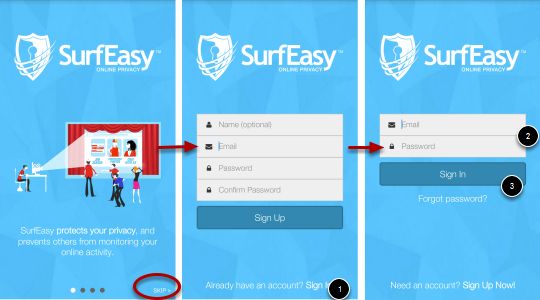
Surfeasy VPN service provide you free 500MB data protection per month. Surfeasy is one of my favorite VPN for android. It has some cool features;
- Wi-Fi Hotspot Security
- Mask your IP address, location and identity
- Browse anonymously to avoid being tracked
- Gain access to blocked URLs and downloads
- Bypass firewalls to browse without limits
- Unblock VOIP services like Skype and Viber.

SurfEasy VPN for Android (SupremeWap.Com)


#3 Hideninja

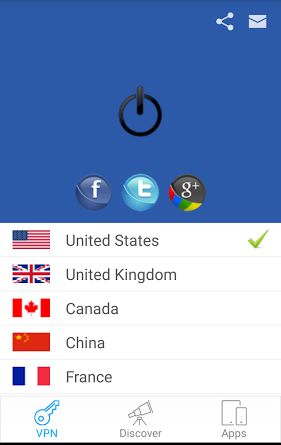
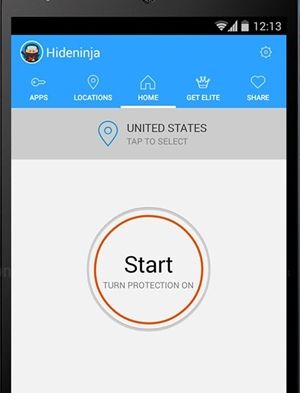
The another best VPN that will allow you to access the data over the WiFi from the servers that are blocked on your android device. Use this app and select any random server from the list and you are done, this app will make private network in your android device and then you can download you favorite files from the internet without getting blocked.

Hideninja (SupremeWap.Com)


#4 Hotspot Shield VPN & Proxy

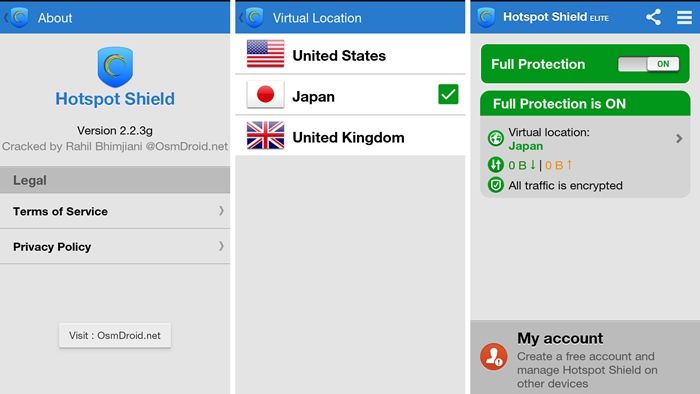
Hotspot Shield is the most popular and most downloaded VPN android app on Google Playstore. Hotspot Shield support 3G/4G connections. It gives you amazing protection when browsing (especially social networking sites). With this VPN you can secure your internet from Hackers, unblock blocked sites and downloads, set firewall rules and hide your IP Address. Basically this is free VPN but for Elite you pay some fees.

Hotspot Shield VPN & Proxy (SupremeWap.Com)


#5 Hideman VPN

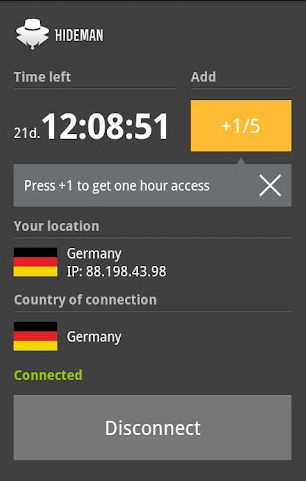
Hideman VPN is another android app that offered Free VPN service to access blocked networks on your android. Hideman is best for its simplicity. Nobody will know where are you from.
Hideman Encrypt your internet data. Protect your Internet data with strong 256-bit encryption. Use any site you needed without any limitations. Remove banners and tracking systems from websites and other apps. It is a cool app you should also give a try!

Hideman VPN (SupremeWap.Com)


Like us on Facebook and subscribe with your email to receive all our latest updates via your inbox!
Read More >>
Tuesday, October 20, 2015


5 Best Browsers Browse Safely And Securely On Your Android (SupremeWap.Com)

In this cyber world security is always the first priority in any region. Similarly secure browsing is a way to browse safely or say anonymously over the internet. Mostly user thinks that they are safe over the internet for browsing lots of sites with their device. 
But that's a misunderstanding as today there are lots of spy agencies that keeps track on users, so its become necessary to ensure your privacy by securely browsing over the web. And in this article we are going to discuss how to browse safely, securely and anonymously on the internet for android users. 

How To Browse Safely, Securely And Anonymously On Android

Here we are going to tell you some of the best secure browser for android that are always in incognito mode and always keeps your data clear whenever you close it. And these will provide you the secure browsing experience in your android. So have a look on these browsers.

5 Best Secure Browse For Your Android To Browse Securely

#1 Ghostery Browser

This is one the best browser that every security alert user knows. This popular browser provides you the private browsing by default. And the major part is that when you close it app erases all data, such as browsing history, downloaded files, forms, cookies, and entered passwords. Also this app provide you the fast page access from the websites.ghostery android browser (SupremeWap.Com)

#2 Dolphin Zero

Many of you must be familiar with this cool android browser as this browser provides you the high privacy while browsing over the web. Similarly like above browser, this browser also clears all the data like cookies, form data, passwords and all other cache files. So must give a try to this cool browser.dolphin-zero-android (SupremeWap.Com)

#3 Krypton Web Browser

One of the best and my favorite browser is this as this browser is just better than all other browser. This browser works on HTTPS everywhere policy and that provides the high security while browsing and also its tabs are isolated from each other from one’e data to another that stops data trapping from other sites. Must use this browser atleast once.krypton web browser (SupremeWap.Com)

#4 Javelin Incognito Browser

The another popular browser that must be well known by the students as this browser provides you the proxy to bypass the blocked sites over the wifi. Also this brosers block ads on it and private browsing in it.javelin incognito browser (SupremeWap.Com)

#5 CM Browser – Fast & Secure

CM is well know to android user a group that had develop lots of cool apps, similarly their browser is also good and provides you the secure access over the internet and stops scripts that can track you over the web.cm browser - fast & secure (SupremeWap.Com)
Apart from browser you can use some Best VPN For Android that gives you a secure private network to browse anonymously over the internet.

Read More >>


Top Ten Features In Android 6.0 Marshmallow (SupremeWap.Com)

As we all know android 6.0 that is named Android Marshmallow is upcoming with all new features. Like after android 4.4 we had received android 5.0 that comes with all new features similarly android 6.0 will be out shortly with better extra features for all android device. And the features of this version of android have been released and in this article we will be discussing them here.

Top 10 Features That You Will Get In Android 6.0 Marshmallow


Almost all android devices will be receiving this update but it may not be early but we have once provided you with the Full List Of Devices Officially Eligible For Android 6.0 Marshmallow and so read out all the new features that will be there on your android after installing the Android 6.0 marshmallow.

#1 Android Pay

Android pay will be a very cool feature like Samsung pay where user will have an extra security while making payments from your android device. The extra security you will get by having fingerprint security in this app that will make you to pay securely from your android device.

Android Pays Feature In Android 6.0 Marshmallow (SupremeWap.Com)


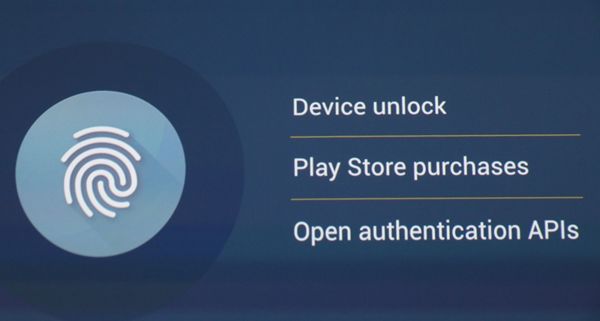
#2 Fingerprint Built In Feature

In android 6.0 you will get built in fingerprint feature in your android and with that you can easily secure your android prom any unauthorized access. And also fingerprint login is better than any password and pin login.

Fingerprint Feature In Android 6.0 Marshmallow (SupremeWap.Com)


#3 App permissions

In android 6.0 there is better app permissions that will provide you better protection from the unauthorized apps in your android. Using permission manager you can easily provides the access of only specific things to the specific apps. And your data will be always be secure with you in your android device.

App permission Feature In Android 6.0 Marshmallow (SupremeWap.Com)


#4 Auto app data backup

In previous versions of android app data was automatically get cleared when the app got uninstall or device treated to reset. But in android 6.0 there is a auto app data backup feature that will hold all your app data in your android and can be revert back when you install the app back.
Auto Data Backup Feature In Android 6.0 Marshmallow (SupremeWap.Com)


#5 Better RAM manager

There is built in RAM manager in this version of android, by using it you can easily manage the RAM usage in your android device easily. And you will not need to install any third party RAM manager in your android as official one from Google will be there in your device.

RAM Manager Feature In Android 6.0 Marshmallow (SupremeWap.Com)


#6 Better Battery And Power Management

The main thing that is focused in this version of your android is the better battery and power consumption as in the previous versions there were battery bug but hopefully in this version all will get fix.

Battery & Power Manager Feature In Android 6.0 Marshmallow (SupremeWap.Com)


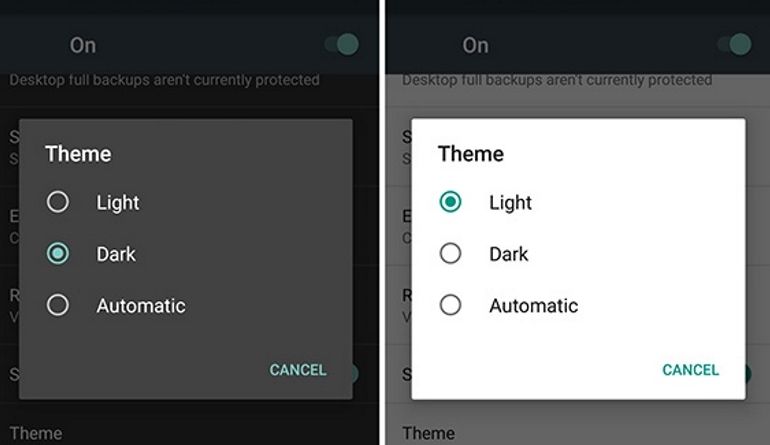
#7 Android Marshmallow dark theme

Talking about the looks in android 6.0 you will be having feature like dark theme that will let you to have better experience of using your android better at night using this theme and this will also protect your android from the bright white light of screen.

Dark Theme Feature In Android 6.0 Marshmallow (SupremeWap.Com)


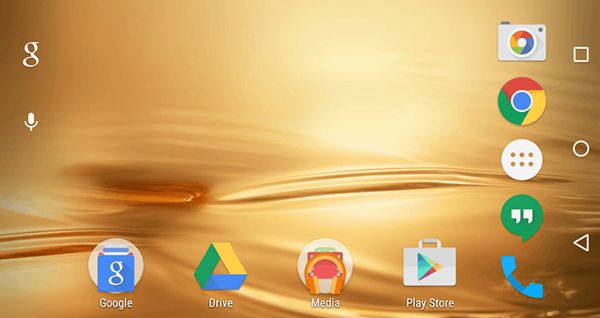
#8 Rotating home screen

Time to experience something new with this feature that is not currently in any previous version of your android. With this new feature you can rotate your home screen by just tilting your device.

Rotating Screen Feature In Android 6.0 Marshmallow (SupremeWap.Com)


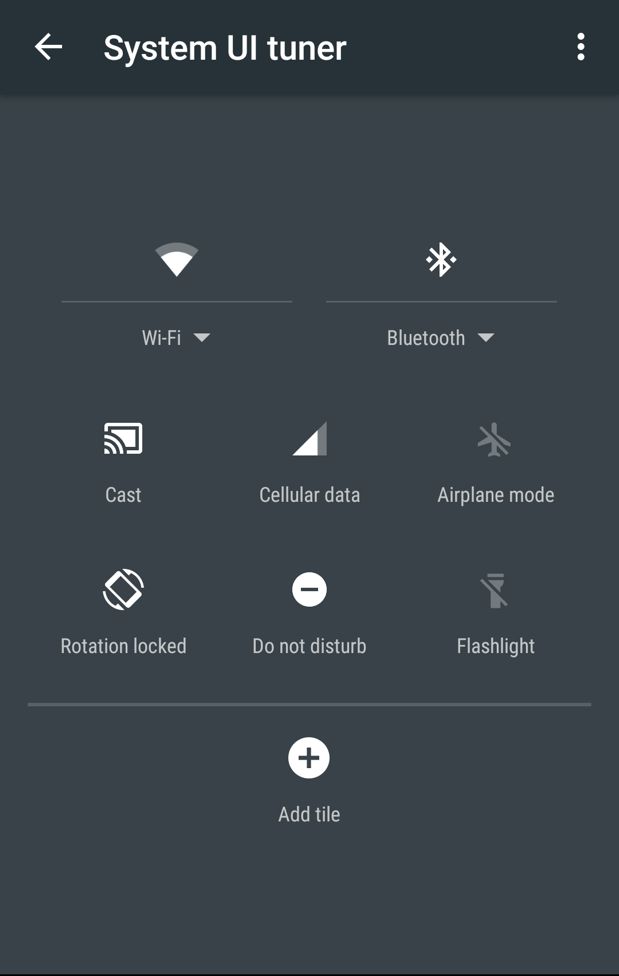
#9 Customizable Status Bar

In android marshmallow you can completely customize your status bar according to your wish. You can turn apps there on and off according to your need on your device.

Customize Status Bar Feature In Android 6.0 Marshmallow (SupremeWap.Com)


#10 Better File Manager

Google has designed a special file manager for this version of android that is user friendly and easy to maintain all the files stored on your android storage.

Better File Manager Feature In Android 6.0 Marshmallow (SupremeWap.Com)


Like us on Facebook and subscribe with your email to receive all our latest updates via your inbox!
Read More >>
Monday, October 19, 2015


 Mozilla’s Firefox - Most Trusted Browser (SupremeWap.Com)

Security vendor Sophos which has been asking users “Which web browser do you trust?” every October for past three years in a survey has made the results of this year's survey public. The results for the 2015 edition of this poll are in and they bring no surprises. As with the previous two years, this year also, Mozilla’s Firefox stole the race over other browsers with 41% of the 3,928 votes polled.

 Mozilla’s Firefox - Most Trusted Browser: Poll Survey (SupremeWap.Com)

Following it at a distance is Google Chrome with 21%, followed by Opera with 16%, and Safari with 8%. Interestingly the polls closes mirror last years results. Tor with 6%, Internet Explorer with 3%, Chromium and Microsoft Edge, both with 2% also found places in the list.

The surprise fact of the Sophos survey was that Internet users trusted Firefox more than Tor, the anonymous browser. Tor which was made by Edward Snowden and is thought to be the best browser for privacy and security, could score only 6%. Sophos had included Tor for the first time in the survey in 2015 and had anticipated a better score for it. It seems despite its hype, Tor has filed to attract normal Internet users other than journalists, national dissidents, and privacy lovers.

The poll is in no way indicative of how popular browsers are, and as the Browser Trust Gap table seen below shows, many users that have visited the poll page with one browser ended up voting for another browser.

 Mozilla’s Firefox - Most Trusted Browser: Poll Survey (SupremeWap.Com)

According to the data, Chrome has a -19.6% browser trust gap, meaning that, from the total of 40.78% of users that voted in the poll (via Chrome), 19.6% of them voted for another browser.


http://facebook.com/SupremeWap
source
Read More >>

Sunday, October 18, 2015


How To Hijack Your Friends Browser Using Google Chrome Extension (SupremeWap.Com)

You can force any of your friend’s browser to open particular link remotely from your PC. This method is very much wacky and you can do lots of pranks with your friends.

How To Hijack Your Friends Browser Using Google Chrome Extension

You will a google chrome extension from google chrome market and that will allow you to connect to your friend’s browser and open any specified tab or page that you want to open in his/her browser. So follow the below simple steps below to proceed.

Note:- This trick will only work if both you and your friend have this extension on your Google Chrome.

Steps To Forcibly open tabs or page on your Friend’s Browsers:


1. Download and install this add-on for your google chrome browser called Shove.
2. Just tap on Add Extension on the popup appears.
3. Click on shove extension and there you have to create an account first to access its services.
shove extension
4. Now proceed with the instructions and now you will see the option Add a Friend.shove extension2

5. Now there in field you will add your friend’s username whose browser you want to hijack.shove extension3
6. Now your friends list will get updated and now select the friends in which you want to open particular URL.shove extension4
7. Now you just need to add the address and the page will get open in your friend’s browser.
 This is the most amazing way to hijack and make fun with your friends by opening different links according to your wish in your friends browser remotely.


  1. Like us on Facebook and subscribe with your email to stay updated to our blog for more amazing tutorials... source


Read More >>


How To Automatically Get Lyrics On YouTube Videos (SupremeWap.Com)

YouTube being always a better choice to watch movies, TV serials, tutorials and lots of your favorite videos online. But the only problem is that till now you can't watch these videos with lyrics with them only i,But here we have a cool method that will allow you to play all the youtube videos with their lyrics with them only if it is already provided by the person that upload the video. But imagine watching these videos with their lyrics, it will give you a better experience of watching.
So we are with 3 methods on how to automatically get lyrics on videos you watch on youtube.

How To Automatically Get Lyrics In YouTube Videos


The methods we provide here for getting lyrics automatically while watching youtube videos differs with the devices on which you are watching them and also the browsers. So we are going to discuss all the methods for both different browsers on PC and on android too.


#1 Method: Automatically Get Lyrics On YouTube Videos In Google Chrome

On Google chrome there is an add-on available that will allow you to get the lyrics of all the videos that you're watching on YouTube with your Google chrome. So you just need an add-on called Musixmatch on your Google Chrome and get lyrics show along with the videos that you play with your browser on your PC.
How To Automatically Get Lyrics On YouTube Videos On Chrome (SupremeWap.Com)

#2 Method: Automatically Get Lyrics On YouTube Videos In Firefox

Similarly like Google chrome there is another plugin that is available for Firefox. So for Mozilla Firefox there is also an add-on called Lyrics Here by Rob W . Download and install it on your browser and enjoy the better experience of watching youtube videos with lyrics.
How To Automatically Get Lyrics On YouTube Videos On Firefox (SupremeWap.Com)

#3 Method: Automatically Get Lyrics On YouTube Videos On Android Device

For android users we've also bring you how to do it with your device using an app called Musixmatch – Lyrics & Music which you can get from Play Store. Now you can get lyrics or subtitles of the youtube videos that you're watching on your android. The app is freely available.
How To Automatically Get Lyrics On YouTube Videos On Firefox On Android (SupremeWap.Com)


Like us on Facebook http://facebook.com/SupremeWap
Read More >>

Saturday, October 17, 2015


Tips To Protect Your Smartphone From Being Hacked (SupremeWap.Com)

As cybersecurity threats continue to increase, it’s possible that your device could be affected with a virus or malware that could give hackers access to your personal or private information, AT&T said.

Tips To Protect Your Smartphone From Being Hacked


To help keep your device secure,
AT&T has put together these useful 6 tips:

1. It’s important to keep your device software up to date. The latest software updates include the best available protections to help defend against these viruses.

2.Regularly back up your data and device to avoid any information loss.

3.Download apps only from trustworthy sources. Using alternatives to your device’s pre-loaded application store can increase the risk of downloading an application that includes a virus.

4. To avoid having your personal, financial, or medical information compromised, use multiple layers of authentication (passwords, icons, usernames, and security questions) to protect transactions and avoid anyone accessing your account.

5. Keep your passwords private, and use more complex passwords to avoid others easily guessing. Finally and most important, watch your statements closely and report suspicious activity immediately.

6. To help stay safe online, keep security in mind when using your device and think twice before opening an email or a link that you’re not familiar with. Enticing links to viruses and destructive software (called malware) can be transmitted through text messaging from unknown numbers.


http://facebook.com/SupremeWap
source
Read More >>


While we are still waiting for Android
Marshmallow 6.0 to roll out to eligible android devices most especially Infinix Hot 2 Android One devices, we are providing you with the Android Marshmallow boot animation in zip format and how to install it. So you are going to have an experience of it.

Android Marshmallow boot animation (SupremeWap.Com)

NOTE: Most Samsung devices are not compatible with traditional android boot animation files such as this one, so this won't work on any Galaxy devices unless you're running an AOSP-based custom ROM.


How To Install Android 6.0 Boot Animation On Your Android Device


REQUIREMENTS:
— Make sure that your device is rooted and cwm recovery properly installed.

HOW TO INSTALL:

— Enable USB debugging of your android device, simply go to settings >> Developers option.

— Download Android 6.0 boot animation file here

— Place it in your SD card or phone memory (Not in any folder)

— Boot into recovery (press and hold Volume Down button + press Power button)

— Go to the recovery main menu, then select install , then select the Android 6.0 boot animation zip file and install.

Once the installation process is complete, restart your device and have a feel of Android 6 boot animation.

It works on most android devices.


http://facebook.com/SupremeWap
source
Read More >>

Friday, October 16, 2015


Ultimate Hacking Keyboard (SupremeWap.Com)

Coders and hackers will love the new splittable ‘Ultimate Hacking Keyboard’
Building a specialized keyboard for coders was the aim of Hungarian startup Ultimate Gadget Laboratories. While some people don’t care much about their keyboard as long as all the letters are in the right place, coders on the other hand, need powerful and functional keyboards. Ultimate Gadget Laboratories looks to meet these expectations with the “Ultimate Hacking Keyboard”

From the outside it looks like just another failed gadget, but there’s a lot under the hood. Mechanical key switches give a tactile feel to presses. It’s “tenkeyless” and “fkeyless,” meaning it doesn’t have the number pad or F-keys, making it more compact. It has a special custom layout that lets you control your media and your mouse without leaving the home row. Gamers and coders can set up macros and application-specific key mappings. And, of course, the whole thing splits in half for better ergonomics.

Ultimate Hacking Keyboard (SupremeWap.Com)

You can lay your hands on “UHK” somewhere next year. The only glitch is that Hungarian startup Ultimate Gadget has to meet crowdfunding target. Right now it is on the way meeting 30 percent of the target.

You can pre-order a “UHK,” as its creators call it, for $200 if you order now, but like all crowdfunding projects you’ll be taking a bit of a risk in buying into something that hasn’t been publicly reviewed.

Read More >>


Copyright © 2016 - SupremeWap - Tech Updates & Tutorials - All Rights Reserved
(Articles Cannot Be Reproduced Without Author Permission.)
Design By : | Powered By: SupremeTech Inc.